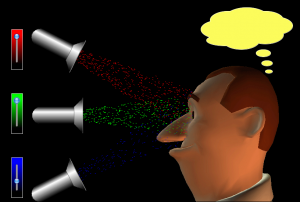
We’ve moved from looking at forming a black & white image on a tv screen to creating a colour picture. I found a clever simulation that may help you to understand how coloured light is produced by mixing together different quantities of the three primary light colours. Click on the image below to go to the site. Use the red, green and blue sliders to adjust the colour that the man sees.
Day: 23 March 2010
AH investigation report guidelines
You should all be well underway with the writing phase of your investigation now. I have attached some guidance from the SQA that is designed to help you with this. Check pages 5-9 of the attached pdf document for detailed information on what is required of you in the final report. Note the word limits and detailed specification of what the marker will be looking for in each section.
Remember that detailed feedback from me will only be possible if I receive your draft report by 3.30pm on Friday. The deadline for submission is the end of the first week back at school after the Easter holiday.
E-Book PDF: Open in New Window | Download
interference simulations
We’ve been looking at interference recently. I found two nice simulations that you might want to try running at home to confirm your understanding of things like;
- relationship between fringe spacing in the pattern & wavelength
- location of the 0, 1st, 2nd order fringes
- what happens when the screen is moved towards/away from the 2 slits/sources
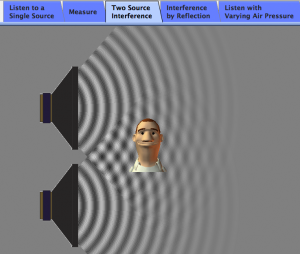
The first simulation is based on the interference of sound waves and is similar to the experiment we set up last week in class. Click on the image below to start the simulation, you will need Java for this to work. Make sure you choose the two source interference tab as shown in the picture.
The second simulation can be run as sound, light or water waves. I selected the light option for this screenshot. Click on it to run the simulation. You are free to run 2 sources or one source with a double slit barrier and adjust the amplitude and wavelength.
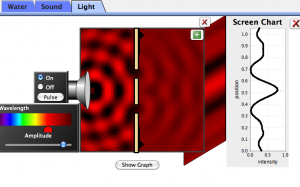
The view screen option is nice as it shows what the fringes would look like. You can also display a plot of light intensity (irradiance).